
588PKR Game Deposit & Withdraw Guide For New Users
The 588PKR Game Deposit & Withdraw section provides users with a way to manage funds through the payment options currently supported by the platform. Before making any transaction, users should check the latest minimum limits, processing requirements, and available payment methods shown in their account.
Payment options and transaction procedures can change with application updates, so always follow the instructions displayed in the current version of the 588PKR App.
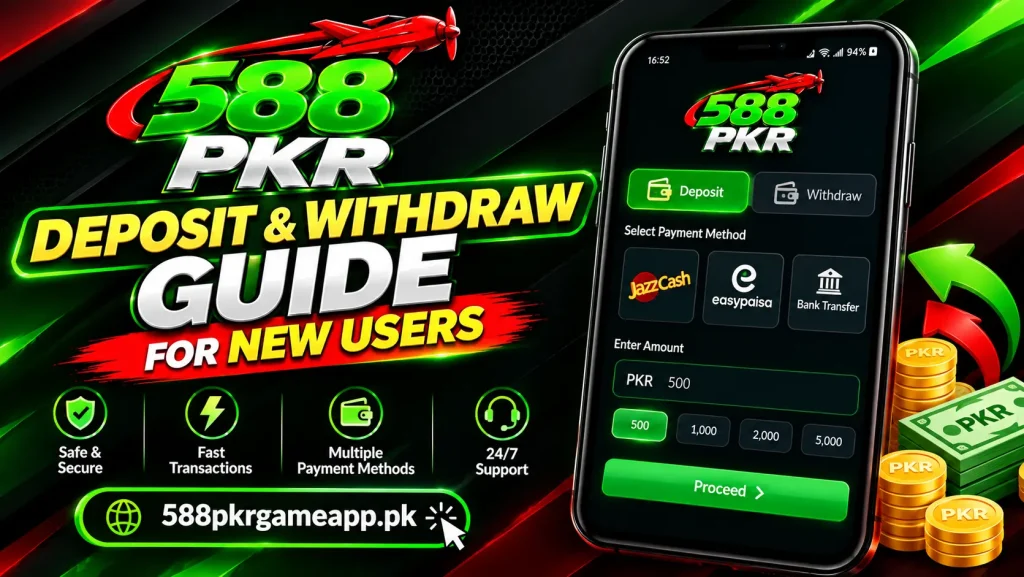
How to Deposit Money in 588PKR
Login to Your Account
Open the 588PKR App and sign in using your registered login details. Make sure you are using the correct application or website before entering your credentials.
Open the Wallet Section
After logging in, find Wallet, Balance, Deposit, or a similar option on the dashboard. Tap it to view the available account and payment options.
Select Deposit
Choose Deposit or Add Money to start the transaction. The application should display the payment methods currently available to you.
Enter Your Amount
Enter the amount you want to add to your account. Check the displayed minimum and maximum limits before proceeding.
Do not deposit more than you can afford to lose, particularly when using features involving real-money gaming.
Select a Payment Method
Depending on current availability, Pakistani users may see options such as:
- JazzCash
- Easypaisa
- Bank Transfer
- Other Supported Payment Methods
Only use the payment information shown through the legitimate payment interface. Do not send funds to an unofficial account provided through social media or private messages.
Confirm the Payment
Follow the instructions provided for your selected payment method. You may need to confirm the transaction through your mobile wallet or banking service.
After completing the payment, return to your account and check whether the balance has been updated.
How to Withdraw Money from 588PKR
If withdrawals are available for your account, you can submit a payout request through the wallet or withdrawal section.
Open the Withdrawal Section
Log in to your account and select Wallet, Withdraw, Cash Out, or the relevant option shown in the current interface.
Enter the Withdrawal Amount
Enter the amount you want to withdraw. Make sure your balance meets the minimum withdrawal requirement displayed by the platform.
Before submitting, review any applicable conditions related to bonuses, account verification, or transaction limits.
Choose a Withdrawal Method
Select one of the payment methods currently available to your account. These may include:
- JazzCash
- Easypaisa
- Bank Transfer
- Other Available Methods
The available options may vary depending on the platform’s current payment system.
Enter Your Payment Details
Provide the required information carefully. Depending on the selected method, you may need to enter a mobile wallet number, account holder name, or bank details.
Double-check all information before submitting the request because incorrect details can cause transaction delays.
Submit the Withdrawal Request
Select Withdraw, Submit, or the relevant confirmation button. Once the request has been submitted, check your transaction history for its current status.
Processing times can vary according to the payment method and the platform’s procedures.
588PKR Deposit and Withdrawal Limits
Deposit and withdrawal limits may vary according to the payment method and current platform settings. Always check the amount displayed in your account before starting a transaction.
Do not rely on old screenshots or information from unofficial websites because transaction limits can change.
Common Deposit Problems
Deposit Not Showing in Balance
If a completed payment does not appear in your account, first check your transaction record and payment receipt. Avoid making another payment immediately until you understand the status of the first transaction.
If the payment remains pending, contact the appropriate platform support team with your transaction reference.
Payment Failed
A payment may fail because of an incorrect account number, insufficient funds, network problems, or temporary issues with the selected payment service.
Check your payment information and try again only after confirming that the previous transaction was unsuccessful.
Common Withdrawal Problems
Withdrawal Is Pending
A withdrawal may take time to process depending on the selected payment method and the platform’s current verification procedures.
Check your withdrawal history before submitting another request.
Withdrawal Was Rejected
A withdrawal can be rejected because of incorrect payment information, account verification requirements, insufficient available balance, or other platform conditions.
Review the reason shown in your account and follow the relevant instructions.
Money Has Not Arrived
If your withdrawal shows as completed but the money has not appeared in the selected account, keep the transaction reference and contact the relevant support service for assistance.
Safety Tips for Transactions
When using the 588PKR Money App, follow these basic precautions:
- Never share your password, OTP, PIN, or banking credentials.
- Check the recipient details before confirming a payment.
- Use only payment methods displayed in the legitimate application.
- Keep transaction receipts until the payment is completed.
- Do not trust individuals promising guaranteed withdrawals or special payment services.
- Review bonus conditions before depositing money to qualify for an offer.
Responsible Use of Real-Money Features
Deposits should only be made with money you can afford to lose. Gaming results are not guaranteed, and promotional offers should not be treated as guaranteed income.
Set a personal spending limit and avoid increasing deposits simply to recover previous losses.
Final Note
The 588PKR Deposit & Withdraw process is intended to provide a convenient way for eligible users to manage their account balance through supported payment methods. Because payment options, limits, and processing requirements may change, always check the current information inside your account before completing a transaction.
For unresolved payment issues, use the platform’s appropriate support channel and keep your transaction reference available.